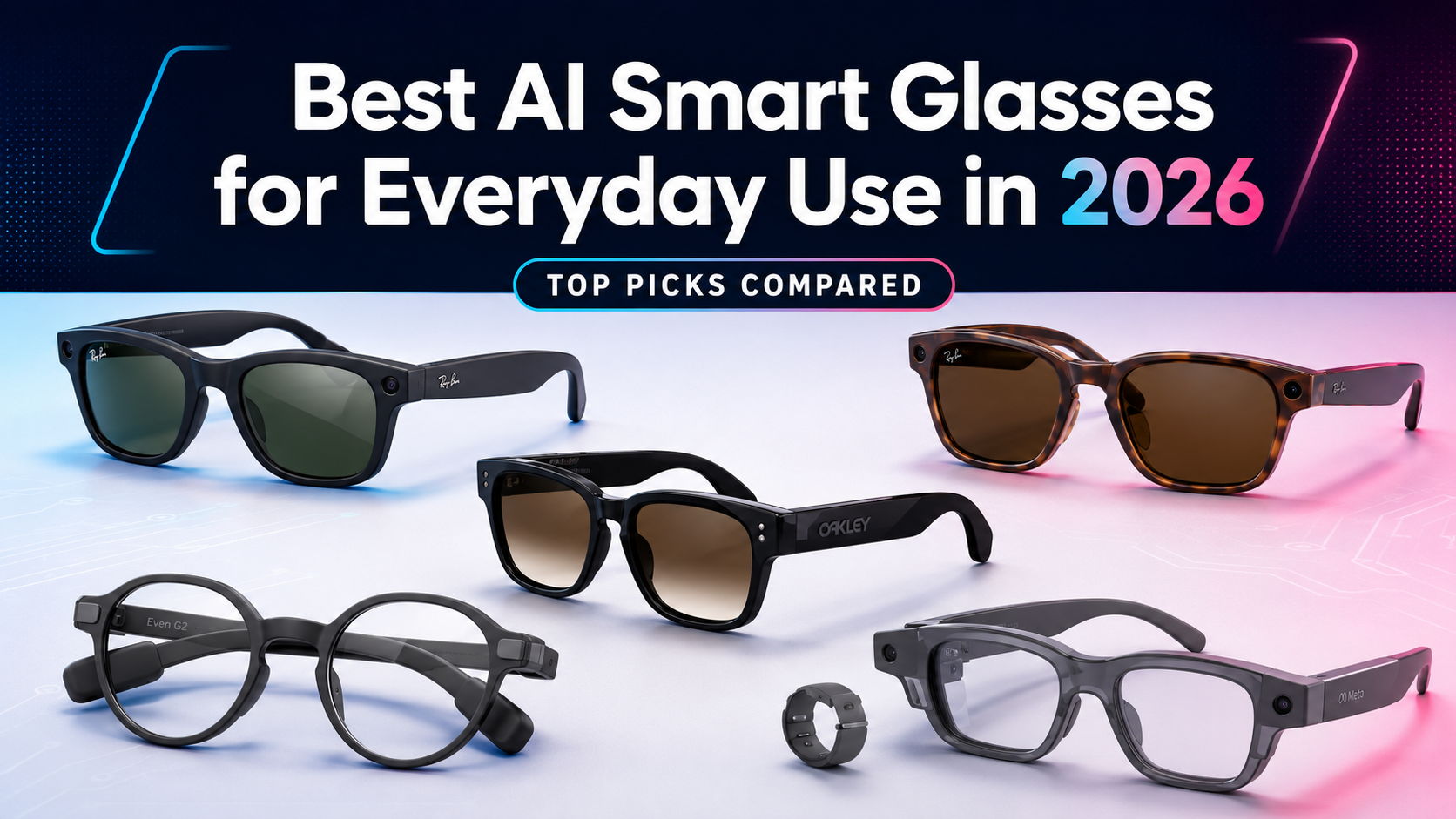
The leading AI smart glasses compared for cameras, audio, displays, outdoor use, privacy, and everyday value.
Updated July 2026
AI smart glasses have finally become useful enough to consider—but not simple enough to buy blindly.
Some models take photos, play audio, answer questions, and make calls but show nothing in front of your eyes. Others provide a discreet display for directions, translations, reminders, or presentations but leave out the camera and speakers.
Choosing the wrong type is the easiest way to spend several hundred dollars on glasses that eventually stay in their case.
This guide compares the strongest AI smart glasses for ordinary daily use, with particular attention to comfort, battery life, privacy, useful features, and overall value.
Affiliate disclosure: NerdItForward may earn a commission from qualifying purchases at no additional cost to you. Prices and availability can change.
The Quick Answer
NerdItForward Quick Pick
Best overall: Ray-Ban Meta Gen 2
Best value: Meta Adventurer or Meta Fury
Best for outdoor use: Oakley Meta HSTN
Best display without a camera: Even Realities G2
Best premium display: Meta Ray-Ban Display
For most first-time buyers, Ray-Ban Meta Gen 2 remains the safest recommendation. It looks like familiar eyewear, handles the most useful everyday functions well, and has a more established ownership record than newer competitors.
The newly introduced Meta Adventurer and Fury models are more affordable and may become the better value once owners have had more time with them.
AI Smart Glasses Compared
The leading models fall into two broad groups: camera-and-audio glasses that rely mainly on voice interaction, and display glasses that place information inside the wearer’s field of view.
Model
Best For
Camera
Display
Advertised Battery
Starting Price
Ray-Ban Meta Gen 2
Best overall
Yes
No
Up to 8 hours
$379
Meta Adventurer or Fury
Best value
Yes
No
More than 8 hours
$299
Oakley Meta HSTN
Outdoor use
Yes
No
Up to 8 hours
$399
Even Realities G2
Camera-free display
No
Yes
Up to 2 days
$599
Meta Ray-Ban Display
Premium display
Yes
Yes
Up to 6 hours
$799
Specification note: Prices and battery estimates come from current manufacturer information and may vary by frame, lens, prescription, settings, and actual use.
How This Guide Was Developed
NerdItForward does not treat every manufacturer feature list as proof that a product will work perfectly in ordinary life.
The recommendations in this guide consider:
Current product specifications and pricing
Everyday usefulness
Battery life and charging options
Frame, fit, lens, and prescription choices
Product maturity
Privacy considerations
Credible independent reporting
Whether the technology solves a recurring problem
This guide is not presented as a hands-on test of every model. New products are identified as such, and manufacturer claims are treated separately from proven long-term ownership experience.
What Matters Before Buying
1. Decide Whether You Need a Display
Many buyers assume all AI smart glasses show information inside the lens. They do not.
Ray-Ban Meta, Meta Adventurer, Meta Fury, and Oakley Meta HSTN rely mainly on cameras, open-ear speakers, microphones, and voice commands. Even G2 and Meta Ray-Ban Display place information in the wearer’s field of view.
2. Identify a Weekly Use
A good reason to buy smart glasses might be:
Taking hands-free photos or videos
Listening to audio while remaining aware of your surroundings
An advertised eight-hour battery does not mean eight hours of continuous recording, phone calls, music, or AI use.
Battery results depend on the camera, speakers, display brightness, wireless connection, settings, and frequency of AI requests. A useful charging case is therefore nearly as important as the battery inside the glasses.
4. Consider How Other People Will React
Camera-equipped glasses can make people uncomfortable even when the wearer has no bad intentions.
A recording light is helpful, but it does not replace permission, good judgment, or respect for places where people reasonably expect privacy.
Before You Buy
Decide whether you primarily need a camera, open-ear audio, or an in-lens display.
Most disappointing smart-glasses purchases begin with choosing the wrong category.
BEST OVERALL
Best Overall: Ray-Ban Meta Gen 2
Ray-Ban Meta Gen 2 combines a familiar frame with a camera, open-ear audio, and Meta AI.
Ray-Ban Meta Gen 2 offers the strongest overall balance of familiar styling, hands-free photography, open-ear audio, voice controls, and AI assistance.
The glasses include an ultrawide 12-megapixel camera, 3K video recording, a five-microphone system, open-ear speakers, touch controls, voice commands, and a charging case.
Ray-Ban says the Gen 2 glasses can provide up to eight hours of moderate use or approximately five hours of continuous audio streaming and voice assistance. The charging case provides additional power while the glasses are stored.
Their biggest advantage is not one spectacular feature. It is that the individual features work together inside frames that look and feel closer to ordinary eyewear than most wearable computers.
You can take a quick photograph without reaching for your phone, listen to directions while remaining aware of traffic, answer a call, record a first-person video, or ask Meta AI about something you are looking at.
Best for: First-time buyers who want the most established combination of camera, audio, AI, prescription options, and recognizable styling.
Reasons to Buy
Familiar Ray-Ban frame designs
3K hands-free video recording
Up to eight hours of moderate use
Open-ear calls, music, podcasts, and directions
Voice, touchpad, and capture-button controls
Several frame, lens, and prescription choices
A more established ownership history than newer models
Reasons to Skip
No visual display inside the lens
Costs more than the new Meta-branded glasses
Requires a compatible smartphone, Meta AI app, and Meta account
Heavy camera and audio use will shorten battery life
Open-ear music will not replace quality earbuds
The camera can make people nearby uncomfortable
NerdItForward Verdict
Ray-Ban Meta Gen 2 remains the safest starting point for most buyers.
It does not provide a visual display, but it combines the features people are most likely to use inside a product that is more proven and easier to wear than many alternatives.
Meta Adventurer uses a versatile rectangular frame and starts at a lower price than Ray-Ban Meta.
Meta Adventurer and Meta Fury bring much of Meta’s current smart-glasses experience to a lower $299 starting price.
Adventurer uses a cleaner rectangular shape and is offered in standard and large sizes. Fury has a heavier, more prominent frame for buyers who prefer a bolder appearance.
The collection supports prescription lenses and launches with 26 combinations of frames, lenses, and colors. Meta also added three-way adjustable nose pads to provide more control over fit.
The glasses include open-ear speakers, a multi-microphone system with wind-noise reduction, hands-free photo and video capture, a dedicated customizable action button, and Meta AI.
Meta claims more than eight hours of battery life, with the portable charging case providing up to 40 additional hours.
The central appeal is straightforward: buyers receive many of the practical features associated with Ray-Ban Meta without paying extra for Ray-Ban branding.
Best for: Value-conscious buyers who want current Meta AI-glasses features but do not care about owning a Ray-Ban or Oakley frame.
Reasons to Buy
Lower $299 starting price
More than eight hours of claimed battery life
Up to 40 additional hours from the charging case
Hands-free photography and video
Open-ear calls, music, and podcasts
Three-way adjustable nose pads
Prescription-lens compatibility
Wide selection of frame and lens combinations
Reasons to Skip
Too new to have a meaningful long-term ownership record
No visual display
Less recognizable eyewear branding
Camera use creates the same social concerns as other smart glasses
Manufacturer battery claims still depend heavily on actual use
NerdItForward Verdict
Meta Adventurer may eventually become the best overall recommendation in this category.
For now, Adventurer and Fury earn the best-value position. The features and price are compelling, but the glasses need more time in buyers’ hands before they can displace Ray-Ban Meta as the more proven purchase.
Oakley Meta HSTN places Meta AI, a camera, and open-ear audio inside an outdoor-oriented Oakley frame.
Oakley Meta HSTN places Meta’s camera, open-ear audio, and AI platform inside a sportier frame designed for active and outdoor use.
The glasses include a built-in camera, open-ear speakers, Meta AI, voice controls, and Ultra HD 3K video recording.
Oakley says a fully charged pair can provide up to eight hours of typical use and up to 19 hours on standby. The charging case supplies up to 48 additional hours of charging, and the glasses can reach approximately 50 percent charge in 20 minutes.
The HSTN also carries an IPX4 water-resistance rating, making it better suited to sweat, light rain, and ordinary outdoor activity than eyewear with no stated resistance.
The main reason to choose the HSTN is not a completely different AI assistant. It is the Oakley frame, fit, lens selection, and sport-oriented styling.
That combination makes it a sensible option for walking, hiking, fishing, golf, travel, outdoor events, and general property or yard work.
Best for: People who spend considerable time outdoors and prefer Oakley styling, performance lenses, and a sportier fit.
Reasons to Buy
Sport-oriented Oakley frame
Ultra HD 3K video recording
Up to eight hours of typical use
Up to 48 additional hours from the charging case
Open-ear audio and voice controls
Meta AI assistance
IPX4 water resistance
Strong outdoor lens choices
Reasons to Skip
Sportier styling is not appropriate for every setting
Costs more than Meta Adventurer or Fury
No visual display
Core AI experience overlaps with Ray-Ban Meta
IPX4 does not make the glasses waterproof
Camera use may make other people uncomfortable
NerdItForward Verdict
Oakley Meta HSTN is the right choice when the Oakley frame, outdoor lenses, and sport-oriented fit matter more than having the most neutral-looking pair of glasses.
Buy the HSTN because it suits how and where you will wear it—not because you expect a dramatically different AI experience from Ray-Ban Meta.
A closer look at the slim frame, lens, and temple design of the Even G2.
Even Realities G2 is designed for people who want useful information displayed inside their glasses without wearing an outward-facing camera.
The G2 uses a binocular green MicroLED display with a resolution of 640 by 350, a 27.5-degree field of view, automatic brightness control, and four integrated microphones.
Its features include notifications, real-time translation, walking and cycling navigation, AI assistance, conversation tools, and a teleprompter that places scripts inside the wearer’s view.
Even Realities claims up to two days of regular use. The charging case can recharge the glasses approximately seven times.
The glasses also carry an IP65 water-and-dust-resistance rating and begin at $599 before optional prescription lenses and accessories.
The lack of an outward-facing camera is part of the appeal. The G2 can be worn in meetings, restaurants, offices, airports, and social situations without leaving people nearby wondering whether they are being recorded.
This makes the G2 especially interesting for presenters, business travelers, professionals, prescription-glasses wearers, and anyone who values displayed text more than hands-free photography.
Best for: Professionals, presenters, travelers, and privacy-conscious buyers who want information in their field of view without an outward-facing camera.
Reasons to Buy
Binocular green MicroLED display
No outward-facing camera
Up to two days of claimed regular use
Charging case supports multiple recharges
Teleprompter capability
Real-time translation
Walking and cycling navigation
IP65 water and dust resistance
Prescription-lens options
Reasons to Skip
$599 starting price
No hands-free photography or video
Not designed as open-ear entertainment glasses
Green monochrome display rather than full color
Some features depend on the connected phone and Even app
Prescription lenses and optional accessories increase the cost
NerdItForward Verdict
Even G2 is the most compelling choice for someone who wants glasses to show useful information without putting a camera on their face.
The $599 price requires a clear use case, but navigation, translation, notifications, and teleprompter functions could justify the cost for the right buyer.
Meta Ray-Ban Display combines a camera, speakers, microphones, Meta AI, and a full-color display inside one pair of glasses.
The display can show messages, AI answers, visual instructions, translations, live captions, walking directions, music information, and a camera viewfinder.
Each pair comes with the Meta Neural Band, an electromyography wristband that interprets subtle muscle activity and turns small finger and wrist movements into controls.
The display is positioned to the side rather than directly in the center of the wearer’s vision. It is designed for brief interactions instead of remaining continuously visible.
Meta claims up to six hours of mixed-use battery life and up to 30 hours of total use with the charging case. The Neural Band is rated for up to 18 hours.
The package starts at $799, includes both the glasses and Neural Band, and is sold through an in-person demonstration and fitting process.
This is the most capable product in the group, but that does not make it the best purchase for everyone. Its value depends on whether the buyer will regularly use captions, visual directions, displayed messages, translation, or other in-lens information.
Best for: Early adopters and buyers with a clear need for live captions, visual navigation, discreet messages, translation, or display-based AI assistance.
Reasons to Buy
Full-color in-lens display
Live captions and translation
Visual walking directions
Messages and calling information
Camera viewfinder and zoom
Meta AI responses with visuals
Meta Neural Band gesture controls
Strong accessibility potential
Reasons to Skip
$799 starting price
Up to six hours of mixed use
More complicated than display-free glasses
Requires wearing and charging a wristband
In-store demonstration and fitting required
First-generation display technology
Camera and data use create privacy concerns
NerdItForward Verdict
Meta Ray-Ban Display is the most technically advanced choice in this guide, but it is a specialized recommendation rather than the default purchase.
Buy it because live captions, navigation, translations, messages, or visual AI answers solve a real problem for you—not simply because it is the newest model.
The five primary recommendations cover the strongest choices for most everyday buyers. Two additional models deserve attention because they target more specialized users.
WORTH WATCHING
Solos AirGo V2
Solos AirGo V2 starts at $299 and takes a more open approach to artificial intelligence than many competing glasses.
The glasses include a 16-megapixel camera, electronic image stabilization, video recording, microphones, open-ear audio, and access to SolosChat and other connected AI services.
The combination is interesting for buyers who want camera-equipped AI glasses without relying entirely on Meta’s ecosystem.
Solos also uses replaceable frame and electronic components across parts of its AirGo system, although buyers should carefully confirm compatibility because not every AirGo generation works with every frame.
Why it is not a primary recommendation: AirGo V2 is still relatively new, and its software experience, support, long-term reliability, and overall polish need more ownership history.
Oakley Meta Vanguard is designed for high-intensity sports rather than ordinary daily wear.
It uses a wraparound frame, a centered 12-megapixel camera, open-ear speakers, an IP67 water-and-dust-resistance rating, and integrations with fitness services including Garmin and Strava.
The glasses can provide workout information, capture hands-free video, overlay performance data, and deliver post-workout summaries through the Meta AI app.
Pricing begins at $499.
Why it is not a primary recommendation: Vanguard makes more sense for runners, cyclists, skiers, and serious outdoor athletes than for someone seeking versatile everyday eyewear.
The best choice depends less on which glasses have the longest feature list and more on what you expect them to do every week.
You Want a Dependable First Pair
Choose Ray-Ban Meta Gen 2.
It provides the most established balance of camera, audio, AI, styling, and lens choices.
You Want the Best Value
Consider Meta Adventurer or Meta Fury.
They deliver many of Meta’s current smart-glasses features at a lower $299 starting price.
You Spend Considerable Time Outdoors
Choose Oakley Meta HSTN.
Its Oakley frame, sportier fit, and outdoor lens choices make it a stronger match for active use.
You Want a Display Without a Camera
Choose Even Realities G2.
It provides directions, translations, prompts, and notifications without an outward-facing camera.
You Want Both a Camera and a Display
Consider Meta Ray-Ban Display.
The price is high, but it offers visual directions, captions, messages, translation, and display-based AI assistance.
You Train for High-Intensity Sports
Consider Oakley Meta Vanguard.
It is built for serious running, cycling, skiing, training, and demanding outdoor activity.
The Simplest Buying Test
Ask yourself: What will these glasses help me do at least once every week?
If the answer is unclear, the best decision is probably to wait.
Who Should Wait Before Buying?
AI smart glasses have improved substantially, but they are not yet a sensible purchase for everyone.
You should probably wait when:
You expect smart glasses to replace your smartphone
You require uninterrupted all-day heavy use
You dislike using voice commands around other people
You need professional-quality photography or video
You are uncomfortable with cloud-based visual AI
You rarely wear ordinary glasses or sunglasses
You cannot identify a recurring task the glasses would make easier
You are mainly interested because the technology looks futuristic
Early adopters may enjoy experimenting with the technology. Everyone else should begin with a practical use rather than the desire to own another connected device.
For a broader examination of whether the category is mature enough, read Should You Buy AI Smart Glasses Yet?
Privacy Still Matters
Camera-equipped glasses require more judgment than a smartphone because people nearby may not immediately understand what the wearer is doing.
A visible recording light helps, but it does not replace permission, courtesy, or common sense.
Avoid recording private conversations without consent. Do not use the camera in restrooms, locker rooms, medical settings, sensitive workplaces, or other places where people reasonably expect privacy.
You should also understand what happens when the glasses use visual AI. A question about something you are looking at may require an image, voice request, location, or other information to be processed through a connected company’s services.
Before buying, review the manufacturer’s privacy settings, app permissions, cloud-processing policies, account requirements, and options for deleting stored information.
Good Technology Still Requires Good Manners
The technology may be new. The obligation to treat other people respectfully is not.
Read The Creepy Side of AI Glasses: Privacy, Cameras, and Trust for the fuller discussion.
Final Verdict
Brian’s Bottom Line
The best AI smart glasses are not necessarily the pair with the longest feature list.
They are the glasses you will wear regularly and that solve a real problem without creating several new ones.
For most buyers, Ray-Ban Meta Gen 2 remains the strongest overall package. It offers a proven combination of hands-free photography, open-ear audio, AI assistance, recognizable styling, and lens choices.
Meta Adventurer and Meta Fury offer the best value, although they need more ownership history before replacing Ray-Ban Meta as the safest recommendation.
Oakley Meta HSTN makes the most sense for outdoor users, while Even Realities G2 is the better choice for someone who wants an in-lens display without an outward-facing camera.
Meta Ray-Ban Display shows where the category is heading, but its price and first-generation complexity make it a specialized recommendation rather than the default choice.
Smart glasses do not need to replace the smartphone to succeed. They need to make a few everyday moments easier, remain comfortable enough to wear, and stay out of the way when they are not needed.
The strongest models are finally beginning to do that.
Continue the AI Smart Glasses Series
This buying guide is part of the NerdItForward series examining what AI smart glasses can do, where the technology falls short, and whether the category is ready for ordinary buyers.
Decide whether current smart glasses are useful enough for your needs or whether waiting another generation makes more sense.
Frequently Asked Questions
Do All AI Smart Glasses Have a Display?
No. Many popular models rely on cameras, microphones, open-ear speakers, and voice controls without placing information inside the lens.
Even Realities G2 and Meta Ray-Ban Display include visual displays, while Ray-Ban Meta Gen 2, Meta Adventurer, Meta Fury, and Oakley Meta HSTN primarily use audio and voice interaction.
Can AI Smart Glasses Use Prescription Lenses?
Several leading models support prescription lenses, but the available prescription range varies by frame and manufacturer.
Confirm that your exact prescription is supported before ordering. Customized lenses may also have different return and exchange conditions.
Can Smart Glasses Replace a Smartphone?
Not for most users.
They currently work better as a hands-free companion for photographs, calls, audio, directions, translations, reminders, notifications, and quick AI assistance.
Which AI Smart Glasses Are Best for Privacy?
Even Realities G2 removes the most visible privacy concern because it does not use an outward-facing camera.
That does not eliminate every consideration. Microphones, connected apps, account information, phone permissions, and cloud-based services should still be reviewed.
Which AI Smart Glasses Are Best for Adults Over 50?
Ray-Ban Meta Gen 2 is the easiest general recommendation because it looks familiar and provides straightforward camera, audio, call, and voice-assistance functions.
Even G2 may be more useful for someone who values displayed directions, translated text, reminders, notifications, or teleprompter functions.
The better choice depends on whether the buyer needs a camera-and-audio product or an in-lens display.
How Long Do AI Smart Glasses Last on a Charge?
Battery life varies considerably by model and by how the glasses are used.
Recording video, streaming audio, making calls, using an in-lens display, and making frequent AI requests will generally consume more power than occasional use.
Manufacturer estimates should be treated as useful comparisons rather than guaranteed everyday results.
Are AI Smart Glasses Worth the Money?
They can be worthwhile when the buyer regularly uses one or more central features.
They are harder to justify when the purchase is based mainly on curiosity or when the buyer cannot identify a recurring task the glasses would make easier.
Related
Want help turning ideas like this into sharper positioning or practical growth content?
I work with companies that need sharper positioning, proposal support, and practical growth guidance.